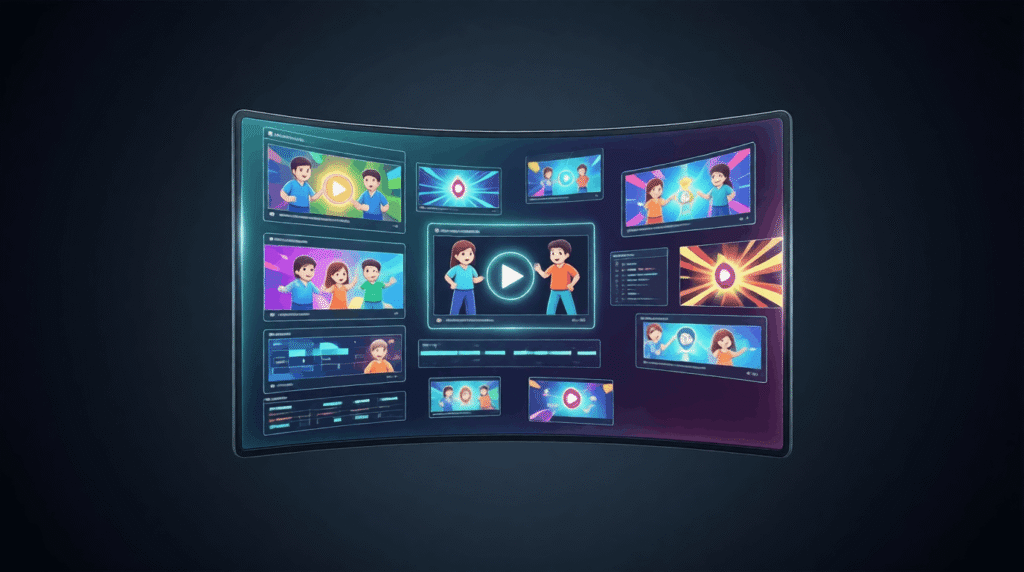
This article is for content creators, social media users, streamers, educators, and anyone else who wants to put a face and personality behind their voice without hiring animators or learning complex software. Whether you want a fun character for your YouTube intro, a branded persona for TikTok, or an engaging avatar for online lessons, the right tool can make that happen in minutes. After reading this, you will be able to evaluate the major categories of free voice-to-avatar tools, understand exactly what separates a useful tool from a frustrating one, and walk away with a clear path to the option that fits your specific needs.
Why Voice-Driven Avatars Are Worth Using
Animated avatars that respond to your actual voice have quietly become one of the most accessible formats in digital content. They let you maintain privacy, build a consistent on-screen identity, and produce polished-looking video content without a camera setup, studio lighting, or video editing skills. The category has expanded rapidly, and the free tier of many tools is now genuinely capable. The challenge is that not every tool works the same way, and the wrong choice leads to wasted time, unexpected paywalls, or an avatar that does not match your vision.
Understanding the differences before you start saves significant frustration. The tools in this space fall into a few distinct approaches, each with real strengths and real trade-offs.
How to Evaluate Any Free Avatar Tool Before You Commit
Before downloading an app or signing up for an account, run every option you are considering through these criteria. A tool that passes most of them is likely a good fit. A tool that fails several is a warning sign, even if the promotional video looks impressive.
- Is it genuinely free, or is free a marketing term? Many platforms use “free” to describe a trial with a watermark, a one-video-per-month limit, or a resolution cap that makes the output unusable. Before investing time in learning a tool, check whether the free tier allows you to download the finished video without a visible watermark and in a resolution that is at least 720p.
- How much can you personalize the avatar? Some tools offer a single facial style with minor color swaps. Others let you choose from dozens of characters across different categories — people, animals, stylized creatures, cartoon figures — and swap backgrounds, resize the character, and adjust the composition. Greater customization options mean a final result that looks like yours, not like everyone else who used the same default.
- How does it handle voice input? The core feature here is whether the avatar animates from your actual recorded voice or a typed script run through text-to-speech. If you want your own voice to drive the animation, confirm that the tool accepts live recording and uploaded audio files in common formats (MP3, WAV). Also check whether there is a time limit on recordings. Two minutes is the minimum useful length for most content formats.
- How natural does the animation look? Lip-sync quality varies enormously across tools. The best ones also animate facial expressions, eye movement, and hand or body gestures in response to the tone and rhythm of the voice. A tool that only moves the mouth produces a noticeably robotic result. Look for preview functionality so you can judge the output before committing.
- Does it require software installation? Browser-based tools are easier to access on any device, including shared computers and mobile phones. If a tool requires an app download, confirm it is available on your operating system and that the download does not come with system requirements that push you toward an upgrade.
- What export options are available? A finished avatar animation is only useful if you can get it out of the tool in a format that works for your platform. Check whether you can export as MP4, choose from multiple aspect ratios (square for Instagram, landscape for YouTube, portrait for TikTok), and download directly without being routed through a sharing link or a premium export queue.
- How much prior experience does it assume? Some tools are clearly designed for professionals who already understand frame rates, rendering pipelines, and timeline editing. Others are built for complete beginners. Match the complexity of the tool to your actual experience level. A beginner who signs up for a professional-grade platform will spend most of their time navigating options they do not need.
- Is there a privacy and data policy you are comfortable with? When you upload a voice recording or a personal photo, you are handing biometric-adjacent data to a third party. Reputable tools publish clear policies about how that data is used, stored, and whether it is used to train AI models. This matters especially for educators working with students or professionals recording proprietary content.
The Two Main Types of Free Voice-to-Avatar Tools
Most free tools in this category fall into one of two approaches. Understanding the distinction helps you choose the right category before evaluating individual options.
Cartoon and Character-Based Animators
These tools give you a pre-designed animated character — a stylized human, a fantasy creature, a robot, an emoji-style figure — and sync that character’s movements to your recorded voice. The character is not meant to look like you; it is a distinct persona or mascot that you bring to life with your voice. The strength of this approach is reliability: the animation quality is consistent because it is built around a fixed character model, and there is almost nothing to configure before you get a solid result. This category is ideal for streamers building an on-screen persona, creators who want to protect their privacy while still having a visual identity, and anyone making content with a playful or branded character feel.
The limitation is that you are choosing from an existing library. If none of the available characters match your vision, you are stuck unless you pay for a premium tier with more options.
Realistic Talking Head Generators
These tools take a photo — of you, of a stock image, or of a generated face — and animate it to match an audio input. The result is a realistic-looking video of a person speaking your words with synchronized lips, expressions, and sometimes gestures. These are widely used for marketing videos, e-learning content, multilingual presentations, and spokesperson-style communication. Many platforms in this space offer a limited free tier, though the most realistic outputs tend to be locked behind paid plans.
The trade-off here is that the output quality depends heavily on the input photo, and the free tier often restricts exports to short clips, lower resolution, or watermarked video. If photorealistic output is your priority, expect to test a few platforms carefully against their free tier terms before you find one that genuinely delivers what you need for free.
Adobe Express: A Strong Option Worth Considering for Casual Creators
Among the character-based animation tools, the avatar maker from Adobe Express stands out as one of the most capable options for users who want reliable results without any learning curve. It sits in the cartoon and stylized character category, and it handles the core workflow — choose a character, add your voice, export a video — with a level of polish that makes it genuinely useful for real projects, not just experimentation.
Three specific features make it worth including in your evaluation. First, the character library is unusually broad. Rather than choosing between a handful of generic human avatars, you can select from a wide range of characters including animals, robots, fantastical creatures, and emoji-style figures, giving your content a genuinely distinctive look. Second, the animation quality goes beyond basic lip movement. The tool responds to the tone and rhythm of your voice by moving the character’s eyes and hands naturally, which produces a far more engaging result than a static figure with a moving mouth. Third, the export functionality includes built-in social sizing. Once your animation is ready, you can resize it in one click to fit the exact dimensions of your target platform, whether that is a square for Instagram, a landscape format for YouTube, or a portrait crop for Reels or TikTok. This kind of integrated workflow is something many free tools omit entirely, leaving you to handle resizing in a separate application.
It is genuinely free, runs in-browser without any required installation, works on mobile, and does not require prior animation knowledge. The two-minute recording limit is worth knowing about in advance, but for most short-form content use cases, that is ample time.
Matching the Tool to Your Use Case
Once you understand the categories and the criteria, narrowing down your choice comes down to what you are actually trying to create and where it will live.
For social media content creators who post regularly on platforms like TikTok, Instagram Reels, or YouTube Shorts, the priority is speed, export flexibility, and a distinctive visual identity. Character-based tools with one-click social sizing are a strong fit because they reduce the production overhead on every post.
For educators or corporate trainers who need to produce instructional videos with a human presenter feel, realistic talking head tools are often a better match. The formality of a realistic presenter tends to land better in professional or academic settings than a cartoon character. Confirm that the free tier of any tool in this category allows downloads without a watermark, since watermarked instructional videos undermine credibility.
For streamers and gaming content creators, a character-based tool that supports looping animations or offers a broad range of game-adjacent character styles is the most useful. The ability to work quickly and produce video-ready content from a voice clip matters more than photorealism in this context.
For anyone experimenting before committing to a workflow, starting with a tool that requires no sign-up, no installation, and no payment information is the lowest-risk approach. It lets you evaluate the output quality firsthand without any obligation.
FAQ
Can I use a free avatar tool for commercial content without legal risk?
This depends entirely on the specific tool’s licensing terms, and the answer varies significantly. Some free tools grant you full rights to use the generated content for any purpose, including commercial videos, brand accounts, and monetized channels. Others restrict commercial use to paid tiers. Before using any avatar animation in content that generates revenue or promotes a business, read the terms of service for the specific tool carefully. Look for language around commercial use rights, ownership of generated content, and any clauses about the platform’s ability to use your content for its own purposes. When in doubt, the platform’s help center or support team is the fastest way to get a clear answer. This is particularly important for businesses and full-time creators, where a licensing problem discovered after a video has been distributed creates real complications.
What audio quality do I need for good avatar animation results?
The quality of your voice recording has a direct impact on how well the avatar animates. Tools that read tone, rhythm, and volume to drive facial expressions and gestures depend on a clean audio signal. Recording in a quiet space with minimal background noise, using even a basic USB microphone instead of a built-in laptop mic, and speaking clearly and at a consistent pace all produce noticeably better results than a noisy or inconsistent recording. If you are uploading a pre-recorded audio file rather than recording directly in the tool, using free audio editing software like Audacity to clean up background hiss, normalize volume levels, and trim silence from the beginning and end of your clip will improve your output without any cost. MP3 and WAV formats are the most broadly accepted across avatar platforms.
Are there avatar tools that work well on mobile without an app download?
Yes, several capable tools in this category run entirely in a mobile browser without requiring an app. The main things to check are whether the tool supports mobile audio recording (not just file uploads), whether the character or photo library loads correctly on a smaller screen, and whether the export process is mobile-friendly. Tools built by large software platforms tend to have more reliable mobile browser performance than smaller or newer platforms, which sometimes have interfaces designed for desktop use. Testing a tool on your actual device before committing to it for a project is always worth the few minutes it takes.
What is the difference between a tool that animates from a voice recording and one that animates from a text script?
These are meaningfully different workflows that produce different results. A voice recording tool takes your actual audio as input and animates the character to match the timing, tone, and rhythm of what you said. What the viewer hears is your real voice. A text-to-speech tool takes a typed script and generates a synthetic voice, then animates the avatar to match that generated audio. Text-based tools can be useful for producing content in languages you do not speak or for generating multiple versions of a script quickly, but the output voice is artificial and often sounds noticeably different from a human recording. For content where personal connection or authenticity matters, voice recording tools produce a result that text-to-speech currently cannot replicate. Many platforms offer both options, which means you can test both approaches and decide which suits the specific content you are creating.
How long does it take to produce a finished animated avatar video from scratch?
For character-based tools in the free category, most users can go from opening the tool to downloading a finished video in under ten minutes for a clip of a minute or less. The workflow is typically: pick a character, record or upload audio, preview the animation, make any adjustments, and export. More complex customization — swapping backgrounds, adjusting character sizing, trimming audio precisely — adds a few minutes. Realistic talking head tools in the free tier sometimes have a processing queue that adds wait time between submission and download, especially on shared infrastructure. If you need to produce avatar content quickly or in volume, character-based tools tend to offer a faster and more predictable turnaround than AI rendering pipelines.
Conclusion
The market for free voice-to-avatar tools has matured to a point where it is entirely possible to produce finished, platform-ready animated avatar videos without any design experience, any payment, or any software installation. The meaningful differences between tools come down to avatar style, how naturally the animation responds to your voice, what you can do with the output, and whether the free tier is genuinely usable or a restricted preview of a paid product.
Start by deciding whether you want a stylized character persona or a realistic talking head, since that narrows the field significantly. Then run your shortlist through the eight evaluation criteria above, paying close attention to export options, recording limits, and commercial licensing if those factors apply to your work. Spend ten minutes testing the actual output quality on a short clip before committing to any tool as part of a regular workflow. The right free tool is out there — finding it is mostly a matter of knowing what questions to ask before you start.
About the Author